This extension lets you export all submissions from Shopify Forms directly into a clean CSV file with one click.
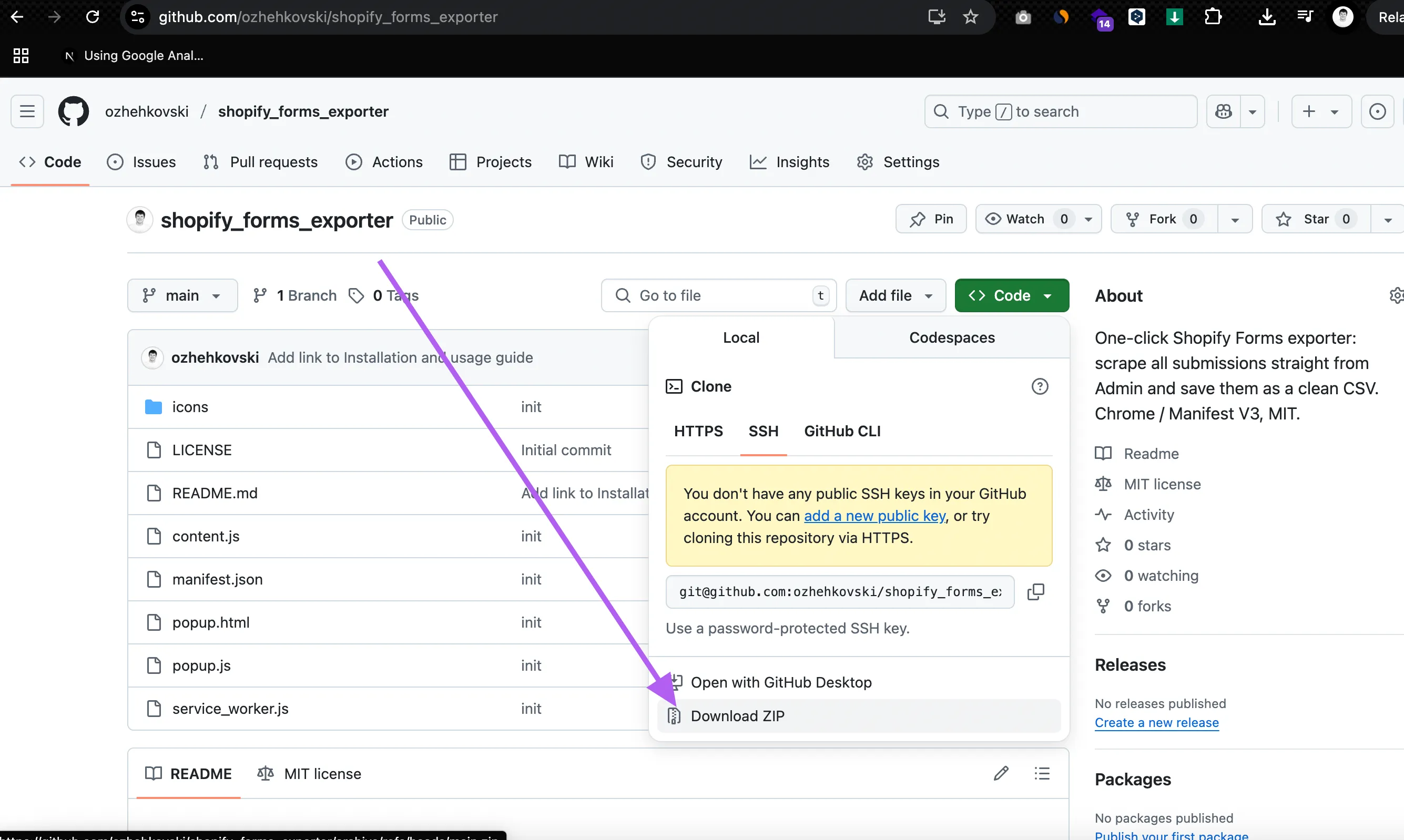
1. Download the latest version (v1.4.2)
The extension is completely free and open-source. Download (v1.4.2)
After installation, you’re ready to use it immediately — no signup or upgrade required.
2. Unpack the downloaded ZIP file
After downloading the extension package as a ZIP file, unzip it into a separate folder on your computer.
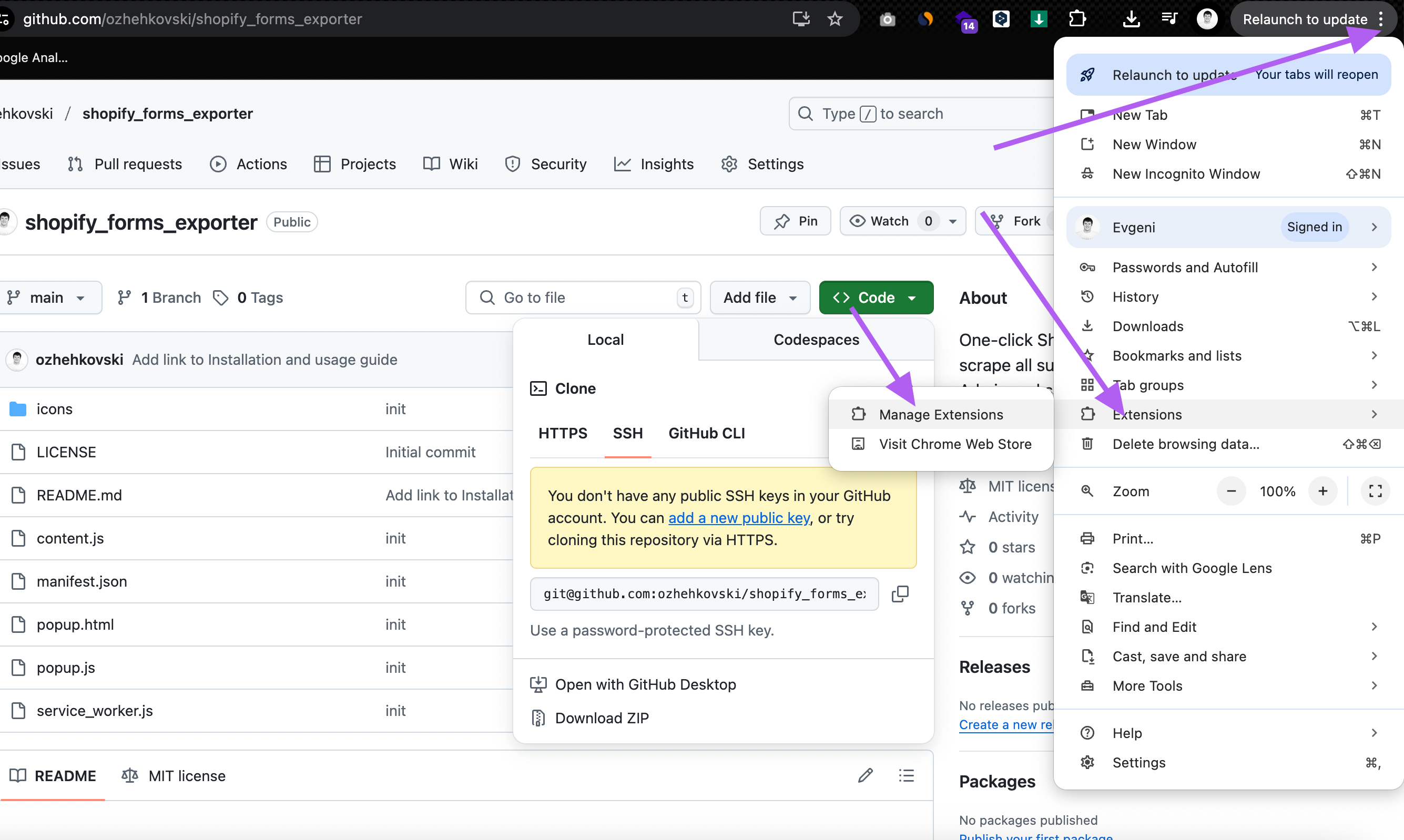
3. Open the Chrome Extensions page
In Chrome, navigate to: chrome://extensions
4. Enable Developer Mode and Load Unpacked
- Turn on Developer mode (top right corner).
- Click Load unpacked.
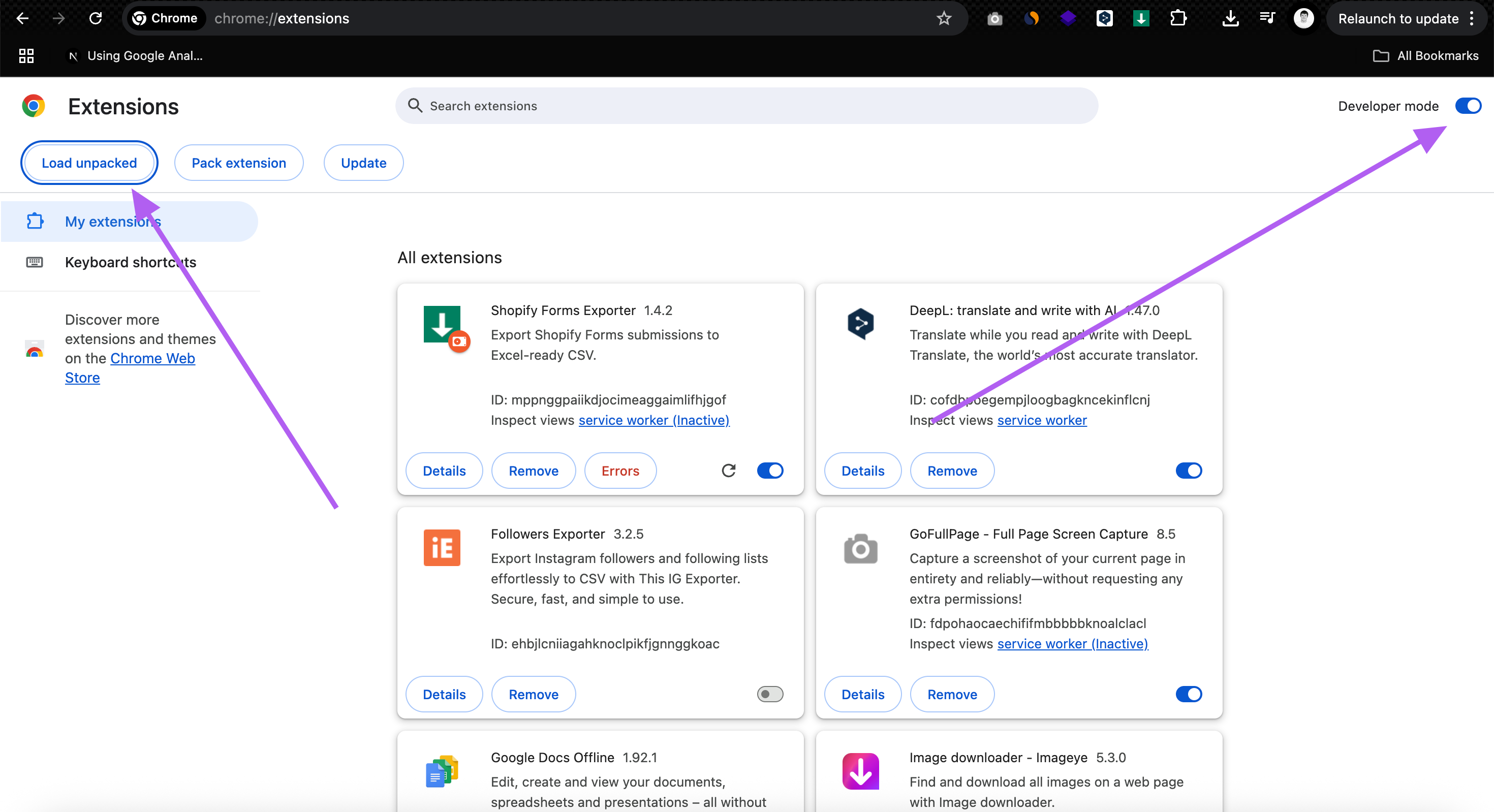
- Select the folder where you extracted the extension files.
5. Installation complete
The extension is now installed and ready to use. Its icon appears in the Chrome toolbar (top right corner). You can also pin it for quick access.
6. How to use
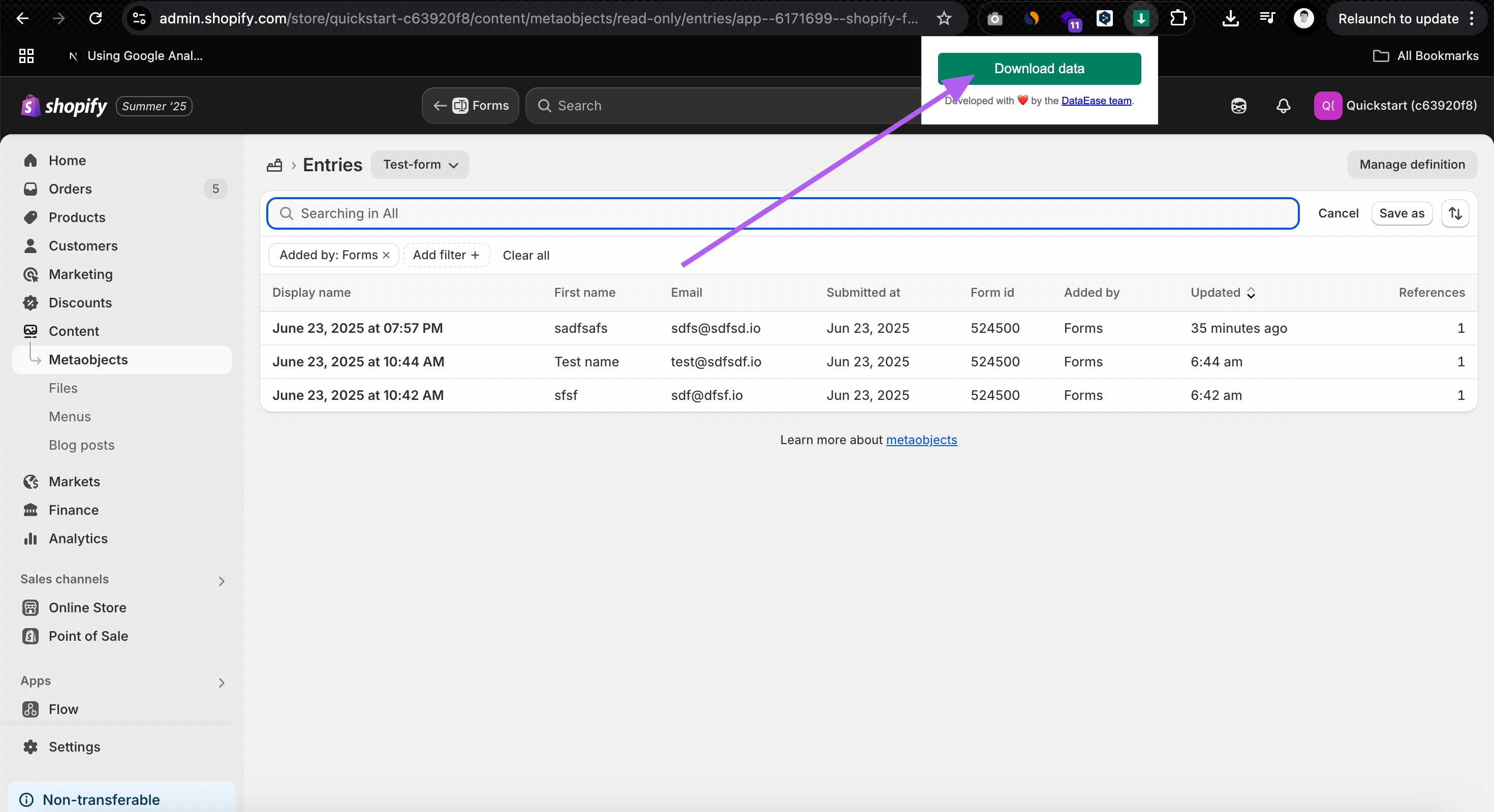
- Open your Shopify Admin.
- Navigate to any Shopify Forms page — either the app page or directly to the form entries.
- Click the extension icon.
- Once the Download data button becomes active, click it to export all form submissions to a CSV file.
7. Support & updates
This extension is provided as-is, fully open-source and MIT licensed.
We’re constantly improving our tools. If you have questions or suggestions, feel free to contact the DataEase team.